On a construction project, not every conversation belongs in the same place. Some updates are project-wide, others belong to a specific floor or area, some start as a quick message but turn into an issue that needs to stay connected to the work.
Most messaging apps treat them all the same. Teams end up creating their own structure with separate chats, pinned messages, and rules about what goes where. This results in conversations that get harder to find the moment you actually need them.
How Scattered Communication Slows Construction Projects
It’s common for most projects to end up with the same scatter of channels: a chat for every subcontractor, one for a specific area, a project-wide group, and email threads for anything that felt formal enough to put in writing.
The problem with this setup is that conversations about the same project are happening in places with no consistent relationship to the work. This creates friction later:
- A rough-in question gets answered, but the next person can’t find the answer and asks again
- A decision made weeks ago has to get re-confirmed before work can continue
- Someone spends twenty minutes tracking down which chat had the update instead of acting on it
- A subcontractor joins halfway through the job and needs an earlier decision, but it’s in a group chat they were never added to
These may not look like major communication failures on their own, but across a project, they add up to repeated questions, wasted time, slower decisions, and work that can sit waiting for information that was already discussed.
Conversations are easier to find and act on when they're organized by what they actually concern: the project, the location, or the issue.
How Shape’s Channels Fits Into Your Existing Construction Workflow
Organizing conversations by project, location, and issue only helps if your team doesn’t have to do the sorting themselves. On most projects, that means creating chats, deciding who belongs in them, naming them, and keeping them organized as the job changes.
That is where the usual construction communication setup starts to break down. The more structure you ask people to maintain manually, the more likely it is to drift. Shape’s messaging app, Channels, takes that structure from the project itself.
Project and location channels are already there, so your team doesn’t have to create a new group every time a conversation starts. Nobody needs to decide what to call it, remember who to add, or maintain a separate chat as the work moves on.
For the team, the workflow stays simple: open the channel for the project or location where the work is happening and have the conversation there. The structure is in place without becoming another process to manage.
Site teams can raise issues and attach photos directly in Channels, keeping the record and its follow-up discussion together. Shape flags potential changes from those site records, giving the commercial team evidence to review while there is still time to act.
How the Three Channel Types Actually Work
A project’s communication changes depending on what’s happening and who needs to be involved. A project-wide update needs one place where everyone can see it. A discussion about work on one floor only needs the people working there. And when a conversation turns into a specific problem that needs to be followed through, it needs to stay connected to that problem.
That distinction happens constantly on a site, often without anyone thinking of it as three separate communication systems.
Project Channels
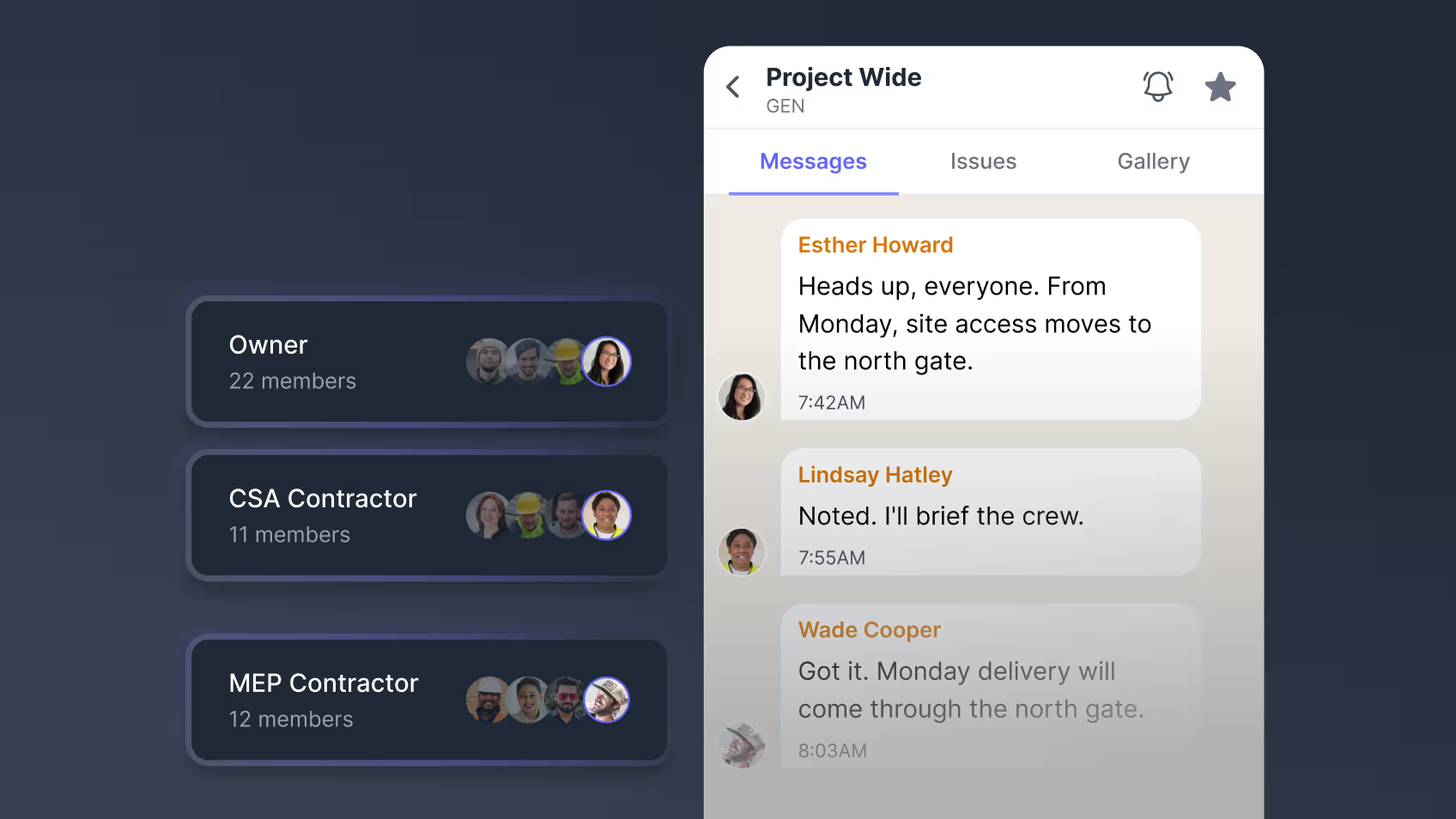
Take a normal Tuesday morning on site. The super posts that starting Monday, site access moves to the north gate. Everyone needs to see it once.
Project Channels are for conversations that affect the wider job. Every project gets one automatically, bringing field crews, office teams, contractors, and suppliers into the same project-wide conversation from the start. There is nothing to create or maintain, so a site-wide update has a place to go without someone first deciding which group to use.
Location Channels
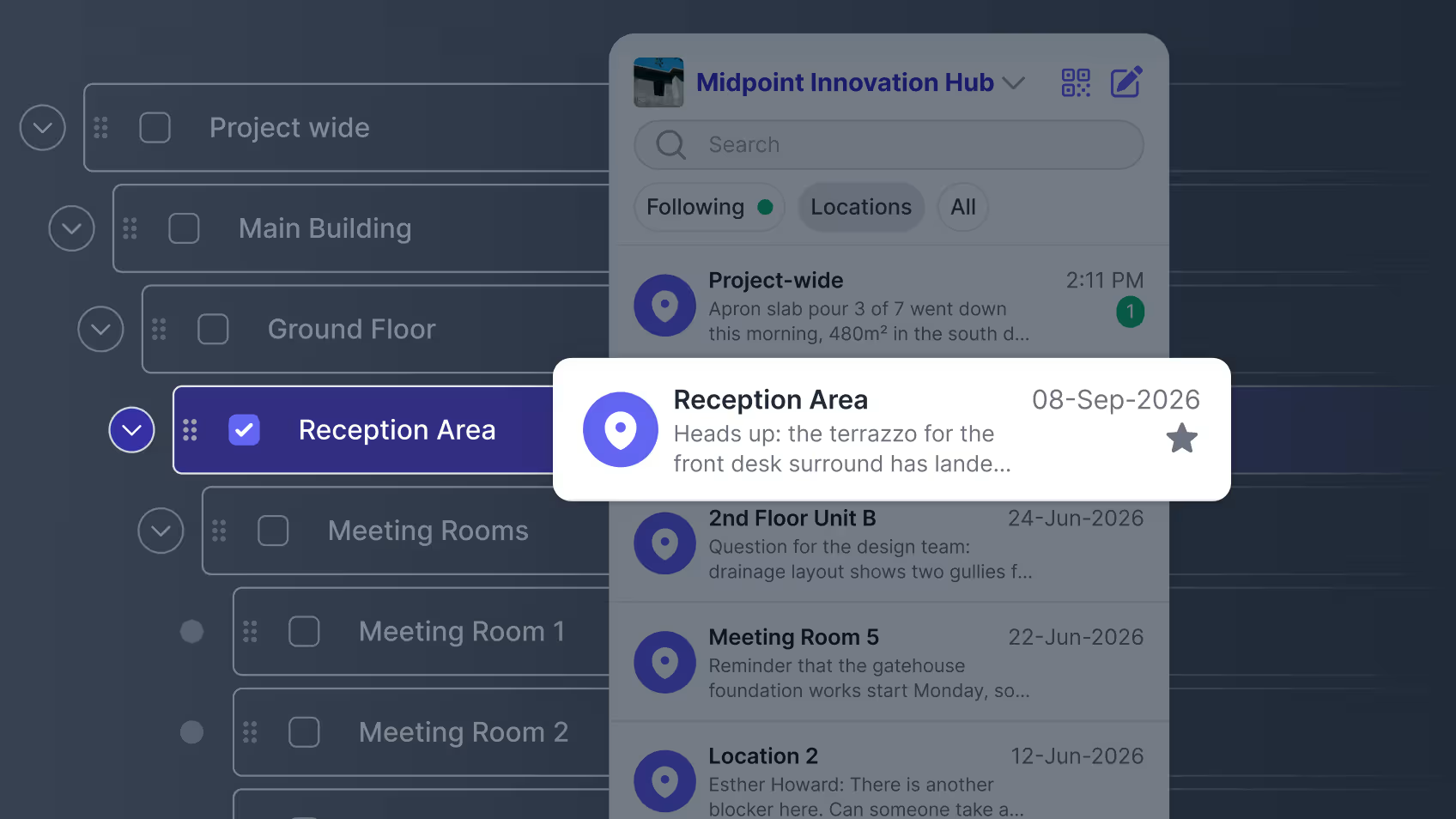
Midmorning, on Level 3, the electrical and drywall subs are going back and forth on rough-in sequencing for that floor.
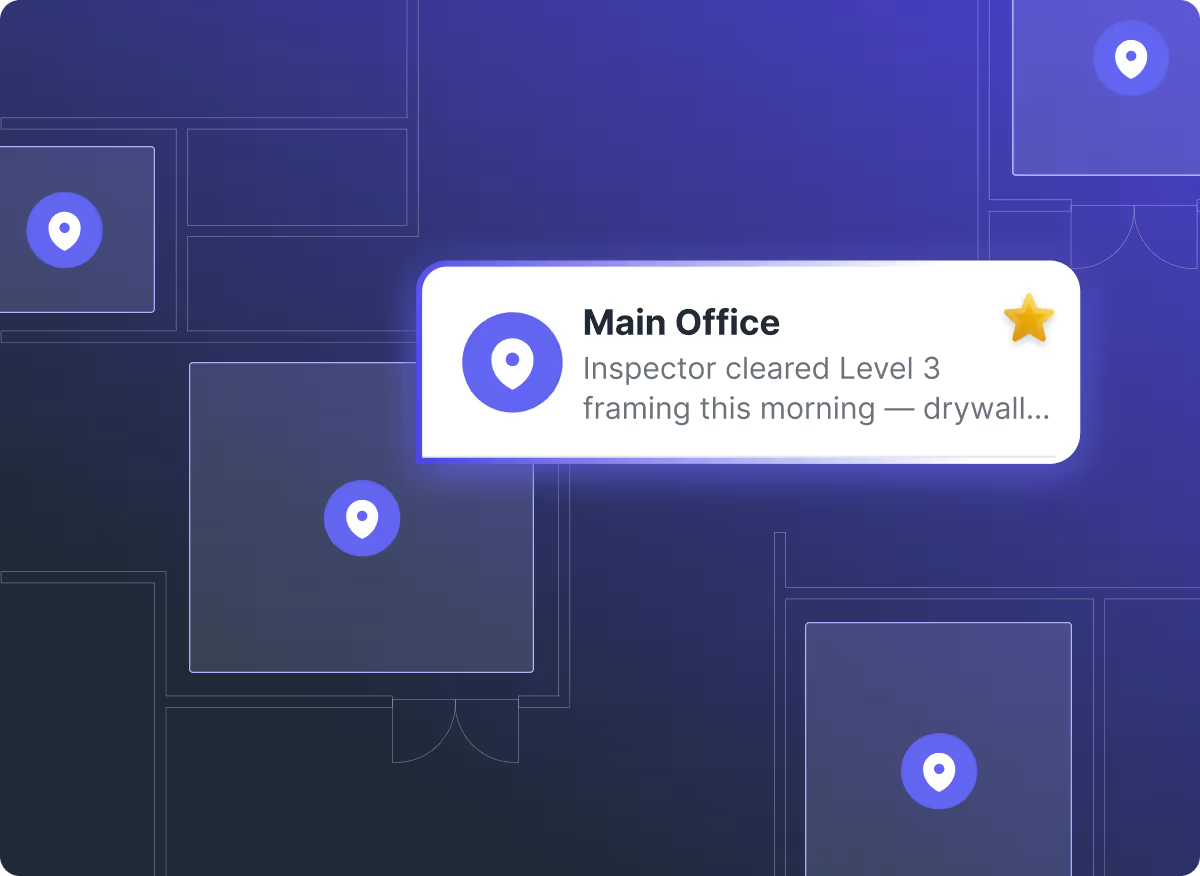
Location Channels keep conversations tied to where the work is happening. They are generated from the project’s existing structure, so the channel for a building, floor, or zone is already there when the team needs it. Unlike a group chat created for one moment, a location channel stays part of the project’s structure for as long as that location is part of the project.
Browse the project’s locations, search for the area you need and follow the channels relevant to your work. The locations you follow stay in your main list, so you can keep the conversations you need close without filling it with every area on the project.
Issue Channels
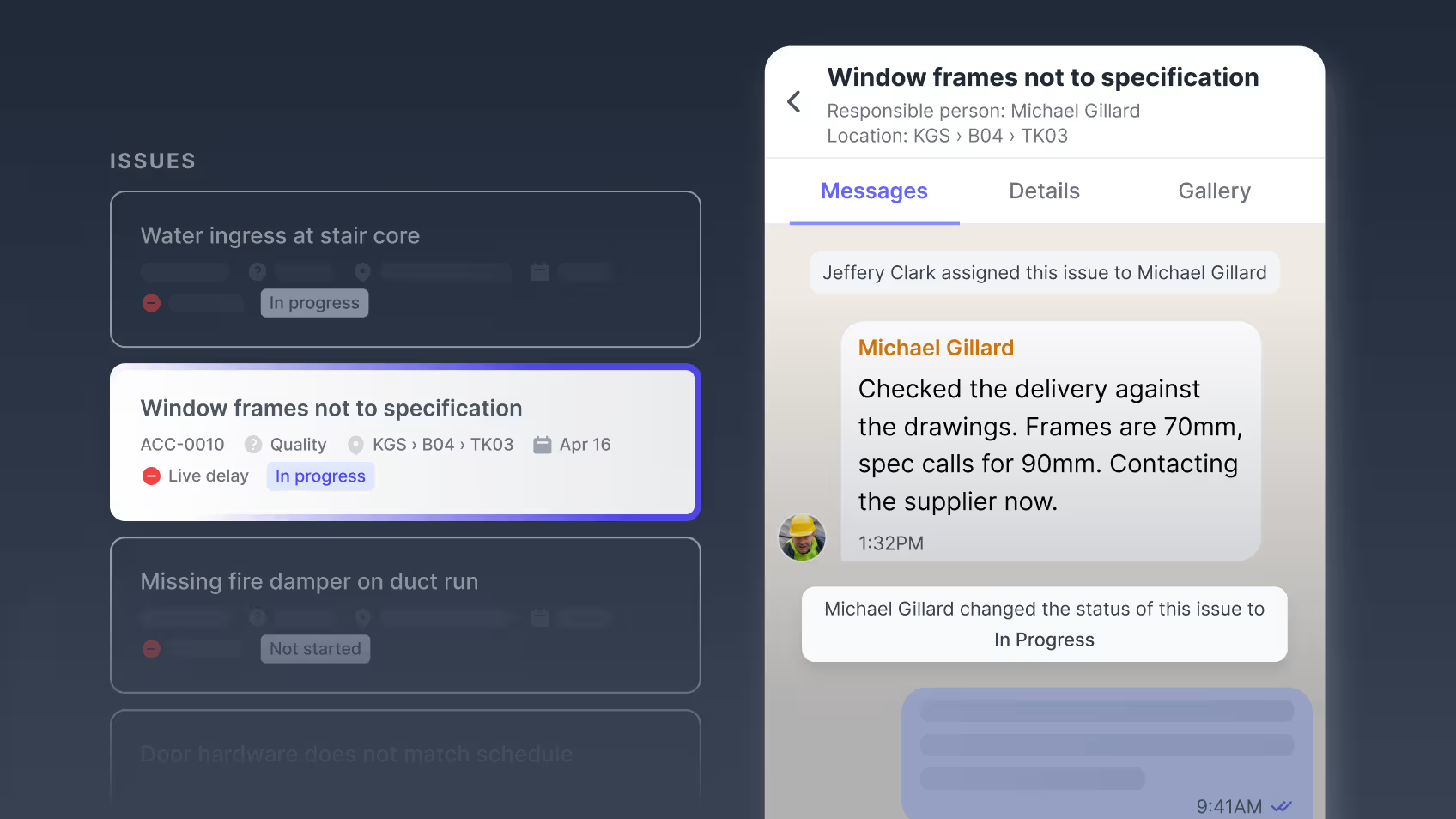
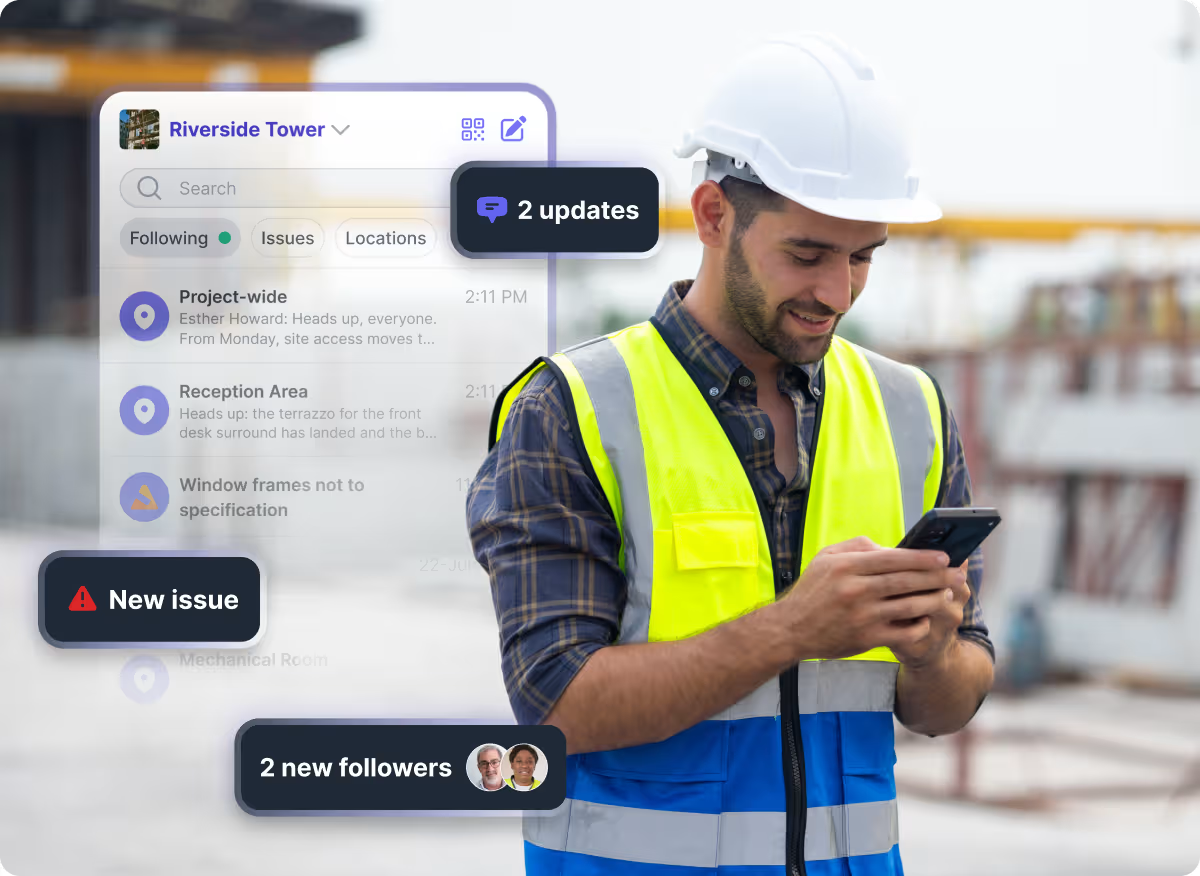
By early afternoon, someone logs an issue for windows that don’t match spec. The channel for it exists the moment the issue is published, with the people watching it already inside.
Issue Channels give a specific problem its own conversation instead of leaving it buried in a broader thread. When an issue like the mismatched windows gets published in Issue Tracker, its channel is created automatically, with everyone involved in that issue already inside it.
View the issue’s details and photos alongside the conversation, so the team can understand the problem, discuss what needs to happen and add evidence as it is resolved.
Three different conversations, three different homes, without anyone having to build them.
Photos and files from any of these sync into Project Gallery, and all three channel types stay timestamped and searchable long after the conversation itself has moved on, including after the job closes.
For the crew, the right conversation is already there. For the project team, the context stays with the project, location, or issue it belongs to.
Where Organized Conversation Becomes Reliable Project Records
A site issue can start as a straightforward coordination problem and later have wider consequences. If it leads to a delay or rework costs, the team may need to explain what was reported, when it was raised and how it was dealt with.
With the issue details, photos and follow-up discussion kept together in Shape, the commercial team has a record to review when preparing its position. They can examine what the evidence supports and what still needs to be established.
The conversation helps the site team deal with the problem today. The record helps the wider team explain what happened later.
See how Shape turns everyday site communication into reliable project records.
A construction project already has a structure. The building has locations, the work has different scopes, and individual problems need to be followed through. Communication is easier to manage when it follows that same structure.
Channels gives those conversations a place to live without asking the team to build that structure themselves. Instead of organizing the project around its chats, the conversations follow the project.
Speak to an Advisor to see how Channels can fit into your existing construction workflow.






Frequently Asked Questions
CONTENT SPOTLIGHT

SUBSCRIBE TO OUR NEWSLETTER
Get the future of construction control straight into your inbox.