Free Excel Template
Construction RFI Log for General Contractors
Track every Request for Information from submission to close-out. Know your open queue, overdue responses, and cost and schedule exposure before your next project meeting.
- Auto-calculated deadlines
- Live overdue flags
- Free Excel download
Oops! Something went wrong while submitting the form.
WHAT'S INSIDE
Everything you need to run a defensible RFI log
Built to give you the right information at the right moment, from the first RFI raised to final close-out.
- Live summary dashboard
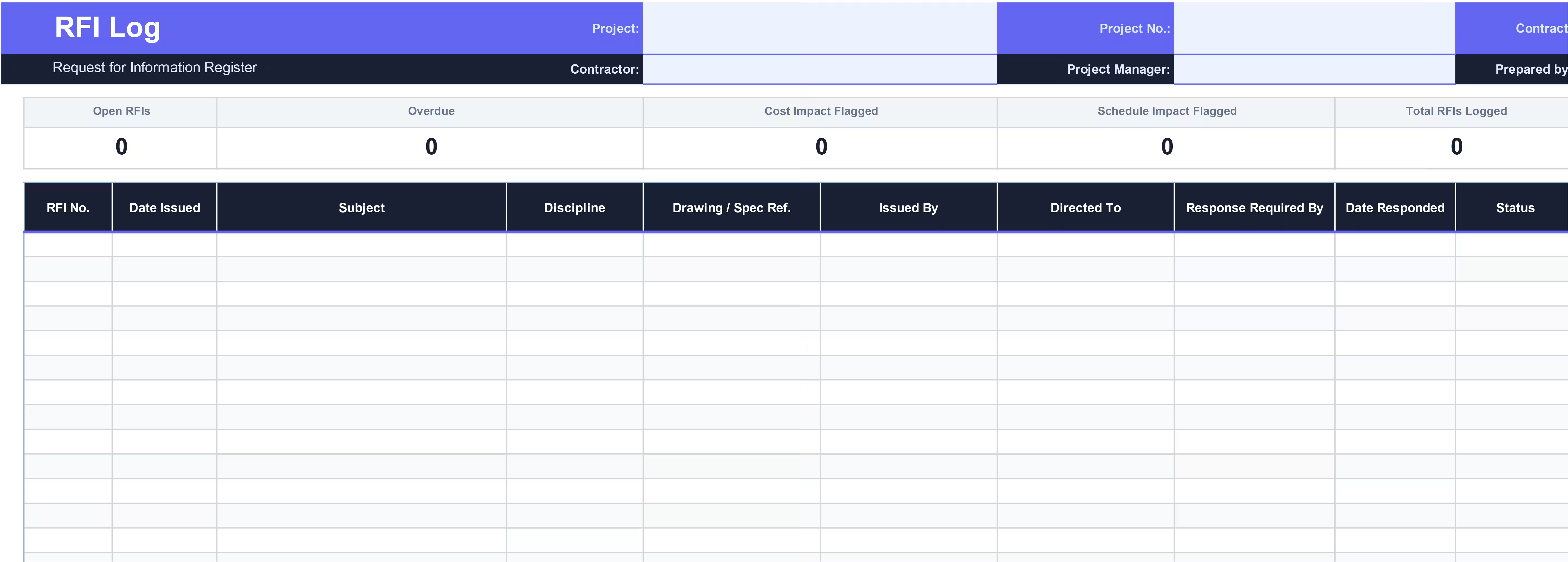
Open RFIs, overdue count, cost impact flagged, schedule impact flagged, total logged, and average days to respond. All auto-calculated at the top of every session. - Auto-calculated deadlines
Set your standard response period once in the header. Every RFI's required response date calculates from that figure with no manual date arithmetic. - Live overdue flags
Open and under-review RFIs past their response date flag automatically. The summary dashboard keeps a running count so nothing gets buried. - Cost and schedule impact flags
Flag exposure as None, Potential, or Confirmed at point of issue, before the impact is quantified. The dashboard aggregates it instantly for your next commercial review. - Change order cross-reference
Link any RFI directly to your change order log by reference number. One column that builds the chain of evidence you need if a cost claim goes to dispute. - How to Use tab
Plain-English guidance covering column behavior, status definitions, and best-practice tips useful for bringing a new project engineer or site manager up to speed fast.
Construction RFI Log for General Contractors
Get the free templateBUILT FOR CONTRACT RIGOR
Not just a tracker. A contemporaneous record.
RFI disputes are won or lost on documentation. This log is designed to produce the evidence trail your project team needs before the dispute arises.
- Log at point of issue, not retrospectively
Date integrity is critical. If an RFI ever enters a dispute or delay claim, the logged issue date is your earliest contemporaneous evidence. Retroactive logging undermines that. The template is structured to make point-of-issue logging the path of least resistance. - Flag cost exposure before it's confirmed
Mark an RFI as carrying Potential cost or schedule impact from the moment it's raised, even before the consequence is quantified. Early flagging protects your position. You can always downgrade later; you can't add a flag retroactively and have it mean the same thing. - Always populate the drawing reference
A vague RFI with no document reference is harder to defend and slower to resolve. The Drawing / Spec Ref. column is the link between your query and the contract document it relates to. Without it, the paper trail has a gap. - Complete the change order link immediately
When an RFI triggers a change order, the Linked CO No. column should be filled that same day. That cross-reference is what makes your commercial record coherent. If a cost claim goes to arbitration, the chain from RFI to change order to executed CO is the evidence you'll be relying on.
WHO USES THIS
Built for the people who own the RFI process
If you're responsible for design coordination, contract administration, or cost and schedule exposure on a GC project, this template was built for your workflow.
- Project Manager
Walk into every project meeting with a log that's current and organized. Know exactly what's open, what's overdue, and what your cost exposure looks like before anyone asks. - Project Engineer
Manage the day-to-day RFI queue consistently. One RFI per issue, logged at the point of issue, with the drawing reference always populated. - Commercial Manager / QS
Use the cost and schedule impact flags to stay ahead of exposure. Cross-reference RFIs to change orders and maintain the audit trail that holds up in a dispute.
Frequently Asked Questions
What is an RFI log in construction?

What is the difference between an RFI and a change order?
Who should own the RFI log on a project?
How do you track overdue RFIs?
How many RFIs does a typical construction project generate?
Does this template work in Google Sheets?
Can I use this across multiple projects?